


Weather Forecast: Live Weather
4.87.00K Reviews
App Specs
- Version
- 1.115.0
- Updated On
- License
- Free
- Downloads
- 10,000,000+
- Developer
- Weather Forecast - WaiWao Studio
- Categories
- Weather
- Platform
- Android
Screenshots
 Analysis by AppCompare
I often check the weather while getting everyone out of the door: one person wants to know about a walk, someone else is deciding what to wear, and I’m trying to work out whether laundry can go outside. Weather Forecast: Live Weather is built around the sort of quick checks that help with those small decisions, while also offering hourly and daily forecasts and a radar view when I want more than a glance.
One quick check for a shared day
On a shared phone or tablet, a weather app can be useful without becoming a family organiser. One person can check the conditions before a school run, another can look at the afternoon forecast before heading out, and nobody needs to interpret a complicated dashboard just to decide whether a coat is sensible. The current conditions make a handy starting point; the hourly view is more useful when plans depend on timing.
A practical routine is to check the forecast together before the day gets busy, then revisit the hourly outlook when plans are about to change. If rain looks possible, the radar can help show whether a weather system is approaching your area or moving away. I wouldn’t treat a map as a promise about the exact moment rain will reach your doorstep, but it can add helpful context to a forecast that otherwise feels abstract.
Keeping expectations sensible on a shared device
For a household, the main setup decision is less about creating elaborate profiles and more about agreeing what the device is for. If several people use the same screen, make sure everyone knows which location the forecast is showing before relying on it. A location set for one person’s commute may not be the right one for another person’s outing, especially when they are checking from somewhere else.
I’d also keep notification choices deliberate. Weather alerts are useful when they draw attention to conditions that matter, but a shared device can become noisy if every user expects it to represent their own plans. Decide who should act on an alert and whether the phone is usually nearby. For a person who needs dependable warnings while away from the device, a second source may be a sensible backup rather than assuming one phone will cover everyone.
Who is likely to get the most from it?
This app makes the most sense for people who want everyday forecasts in one accessible place: commuters checking whether to bring a rain layer, walkers choosing a suitable time to head out, or households coordinating outdoor errands. The combination of a glanceable current view, an hourly outlook, a longer-range forecast, radar, widgets, and alerts gives casual users room to check more deeply when a plan depends on the weather.
It is less suited to someone who wants a specialist meteorology workspace, detailed tools for professional decisions, or a forecast that should be treated as certain far into the future. A long-range outlook is best used to spot broad patterns and prepare tentatively, not to lock in a weather-sensitive event. If the stakes are high, I’d compare the forecast with another trusted source and local official warnings rather than rely on a single app.
Worth Reading Before You Choose

Flipboard Shows What News Apps Must Do Beyond the Feed

Switching to Android Auto Means Rethinking Your Driving Routine

Google Calendar Makes a Crowded Week Easier to Manage

Ludo King Makes the Most of the Minutes Between Plans

Baby Panda World Brings Quick Play to Modern Phones, but Its Game Library Feels Busy

ESPN’s Live Game View Makes Following Close Games Easier
How it fits alongside other weather options
Compared with the basic weather screen already on many phones, this app brings together a more deliberate mix of hourly and daily information, radar, and a customizable widget. That can be useful if your built-in option feels too bare or makes it awkward to move from a quick temperature check to a closer look at changing conditions. On the other hand, if your phone’s existing forecast already answers your usual questions, installing another app may add little beyond a different layout.
Radar is the feature I’d reach for when timing matters, while the hourly forecast is easier to scan for planning a whole day. Neither replaces local judgement: a map can be visually compelling without making a small-area forecast exact, and conditions can change. A useful habit is to check the forecast first, use radar to understand the immediate picture, and then leave some flexibility in plans that depend on staying dry.
Features and Functionality
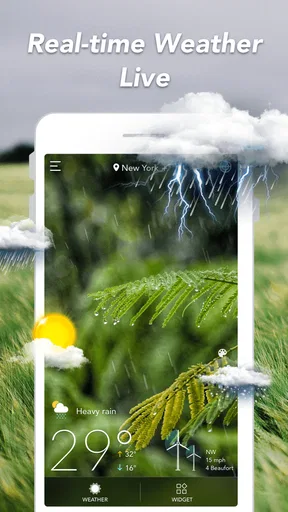
First things first, when you open up Weather Forecast: Live Weather, you’re greeted with a sleek, simple interface that’s easy to navigate. The home screen gives you a quick glance at the current temperature, weather conditions, and a nifty little icon that tells you whether it's sunny, cloudy, or somewhere in between. It’s like having a tiny meteorologist living in your pocket!
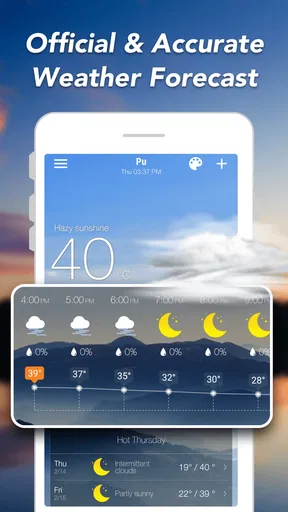
But it’s not just about the now. You can toggle through hourly and daily forecasts, which are incredibly detailed. The hourly forecast is super handy if you’re planning a day out and want to know if you’ll get caught in a rainstorm at 3 PM. Spoiler: it happens more often than you’d think!
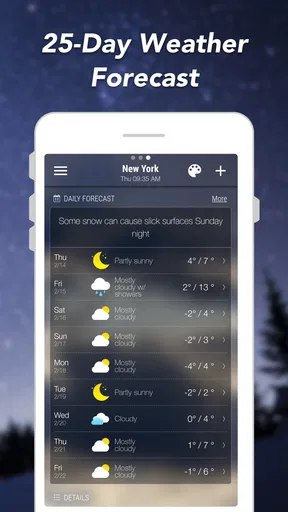
The app also provides a 10-day forecast, which I found to be pretty accurate during my testing. It lists highs and lows, precipitation chances, and even wind speed, which is a nice touch for us folks who like to know if it’s going to be a good hair day or not.
Additional Perks
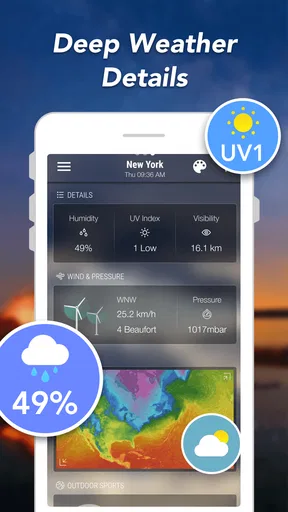
Apart from the basics, there are a few extras that make this app stand out. For one, there’s a radar map that shows real-time weather patterns. I must admit, I spent a good chunk of time watching storms roll across the screen. It’s mesmerizing, like a mini weather channel on your phone.
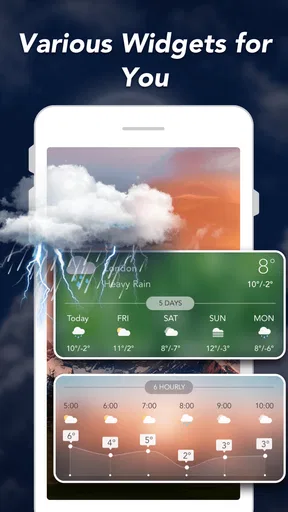
And then there’s the widget feature. You can customize the widget to show the weather at a glance right on your home screen. It’s a small thing, but having that info without opening the app is super convenient.
Usability and Design
Now, let’s talk usability. I found Weather Forecast: Live Weather to be pretty intuitive. The menus are straightforward, and everything is where you’d expect it to be. No fumbling around trying to find the settings or the radar map, which is a win in my book.
The design is clean and modern, with a nice balance of colors that don’t overwhelm the eyes. It’s got a friendly vibe, which is nice when you’re trying to figure out if that picnic you’re planning is going to get rained out.
One of the things I appreciated was the minimal use of ads. They’re there, but they don’t intrude on the experience, which is a huge plus. Nothing worse than trying to check the weather and getting bombarded with pop-ups.
Notifications and Alerts
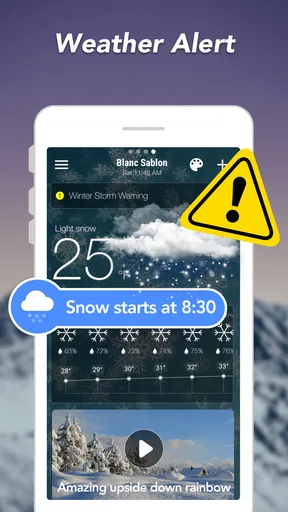
Another feature worth mentioning is the notification system. You can set up alerts for severe weather conditions, which is crucial if you live in an area prone to sudden storms or extreme temperatures. These alerts pop up with just the right amount of urgency, so you never miss a beat. It’s like having a personal weather assistant keeping you in the loop.
Reading the forecast without overcommitting
For a realistic weekday example, imagine checking the weather before leaving home, seeing a dry start, and noticing a chance of rain later. I’d use the hourly forecast to decide whether to pack a light layer, then glance at radar closer to the time I need to walk or drive. That’s a more useful workflow than checking once in the morning and assuming the first screen tells the whole story.
The longer outlook helps with preparation, but I wouldn’t use it to make a firm call about an outdoor gathering far ahead. I’d treat it as an early signal: if several days look unsettled, keep a flexible indoor option in mind, then check again nearer the event. Forecasts are most helpful when they guide a decision while leaving room for conditions to shift.
The widget is another small workflow improvement. I’d place it somewhere visible if I make frequent short checks, rather than opening the full app each time. That saves a few taps for routine decisions, while the full screen remains available when I need the hourly details or radar. If the home screen is already crowded, though, the widget may be less valuable than simply opening the app when needed.
What to know before relying on alerts
Alerts are most useful when they support an existing plan, not when they replace it. If someone in the household is heading out in changing conditions, a warning can prompt a fresh check before departure. For important travel or safety decisions, I’d also consult local official notices. A phone notification is convenient, but it should not be the only channel a household depends on during dangerous weather.
On a shared device, the practical question is whether the person who needs an alert will actually see it. If the phone stays on a kitchen counter while someone is away, a notification there cannot coordinate the group by itself. A quick conversation about who is checking conditions—and when—can matter more than turning on every alert. I find that distinction especially useful in households where one person handles plans for several others.
Who may prefer a different approach?
People who only want a basic temperature and a simple chance of rain may be perfectly happy with the weather screen already on their phone. The extra radar and forecast views are worthwhile when they change a decision, but not everyone needs to inspect weather several times a day. Conversely, users who need highly specialized meteorological detail should look for a tool designed around that kind of work rather than expect a general-purpose forecast app to serve as a professional instrument.
The free-to-download model makes it easy to try, though in-app purchases are available, listed at $2.99 to $4.99 per item. I’d start by using the free experience for the tasks I actually have—checking a commute, choosing when to walk, or planning errands—before deciding whether any paid item is worth considering. There is little value in paying for extras simply because they are offered if the standard forecast already covers your routine.
Age, trust, and household expectations
The app is rated Everyone, which makes its subject matter broadly suitable for a household device. That rating is not the same as a family-management feature, though, so I wouldn’t assume it creates separate personal spaces or controls for different users. If children use a shared phone, it is worth showing them how to read the conditions and explaining that a forecast is guidance, not a guarantee—especially when a severe-weather alert calls for an adult’s attention.
Weather Forecast - WaiWao Studio is the developer behind the app. It has an average rating of 4.8 from around 163 thousand ratings, with over 10 million installs. Those figures suggest a widely used choice, but they can’t tell me whether a particular forecast will suit my location or whether every household will like its layout. I’d judge it by how clearly it answers the questions your family actually asks.
The app first appeared on February 17, 2019, and its current version is 1.115.0. It runs on Android 6.0 and later. If you are setting it up on an older spare phone for shared use, checking the operating-system requirement before downloading can save time. The version information is also useful when troubleshooting: if something looks different after an update, the app may have changed, so it is worth checking that the device is running the current release available to it.
Final Thoughts
So, after spending some time with Weather Forecast: Live Weather, I’m pretty impressed. It packs a lot of features into a user-friendly package, making it a solid choice for anyone looking to keep tabs on the weather. Whether you’re planning a weekend getaway or just trying to decide if you need a jacket, this app has got you covered.
Overall, it’s a reliable and efficient tool for weather enthusiasts and casual users alike. If you’re in the market for a new weather app, you might want to give this one a go. It’s free to download, so there’s really nothing to lose—and hey, you might just avoid getting caught in the rain next time!
My household verdict
I’d recommend it for a household that wants an approachable shared reference, especially when people need to coordinate ordinary outdoor plans without learning a complicated interface. Its strongest everyday combination is a quick home-screen glance, an hourly check when timing matters, and radar for a closer look at approaching weather. Used that way, it helps turn a vague “should we go?” into a more informed choice.
I’d skip it if you need a specialist forecasting tool, if your built-in app already handles every routine question, or if you expect one shared device to deliver personal alerts to everyone wherever they are. For most casual users, though, the feature mix is practical and easy to understand. I’d try it for a few days against the decisions I actually make, keep plans flexible when the forecast is uncertain, and use another trusted source for high-stakes warnings.
Pros
- Accurate real-time updates
- User-friendly interface
- Customizable alerts
- Detailed forecast maps
- Minimal data usage
Cons
- Ads may interrupt usage
- Limited free features
- Requires internet access
- Occasional loading delays
- Battery consumption is high
FAQs for Weather Forecast: Live Weather
What features does Weather Forecast: Live Weather offer?
Weather Forecast: Live Weather provides real-time updates on weather conditions including temperature, humidity, wind speed, and precipitation. It also offers hourly and 7-day forecasts, weather alerts, and radar maps. The app's user-friendly interface makes it easy to navigate while also providing detailed weather insights tailored to your location.
Is Weather Forecast: Live Weather free to use?
Yes, Weather Forecast: Live Weather offers a free version with essential features accessible to all users. However, there is also a premium version available, which offers additional features such as advanced weather insights, ad-free experience, and priority customer support. Users can choose based on their needs and preferences.
How accurate is the weather information provided by the app?
The app sources its data from reliable meteorological services, ensuring high accuracy in its weather forecasts. While no weather prediction can be 100% accurate due to changing conditions, Weather Forecast: Live Weather consistently updates its information to provide users with the best possible forecasts. Users can generally trust the information for planning purposes.
Can I customize the notifications and alerts in the app?
Yes, Weather Forecast: Live Weather allows users to customize notifications and alerts according to their preferences. You can set alerts for severe weather conditions, daily forecasts, or specific weather changes. This customization ensures users receive only the relevant information they need at any given time.
Does the app support multiple locations?
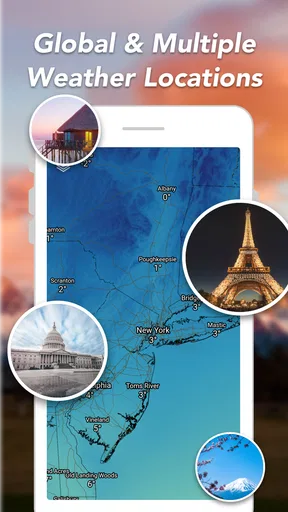
Absolutely, Weather Forecast: Live Weather supports tracking weather for multiple locations. This feature is particularly useful for users who travel frequently or wish to monitor weather conditions in different areas, such as the locations of family members or upcoming travel destinations. You can easily switch between locations within the app.


